A material schedule for every object in your 3D model
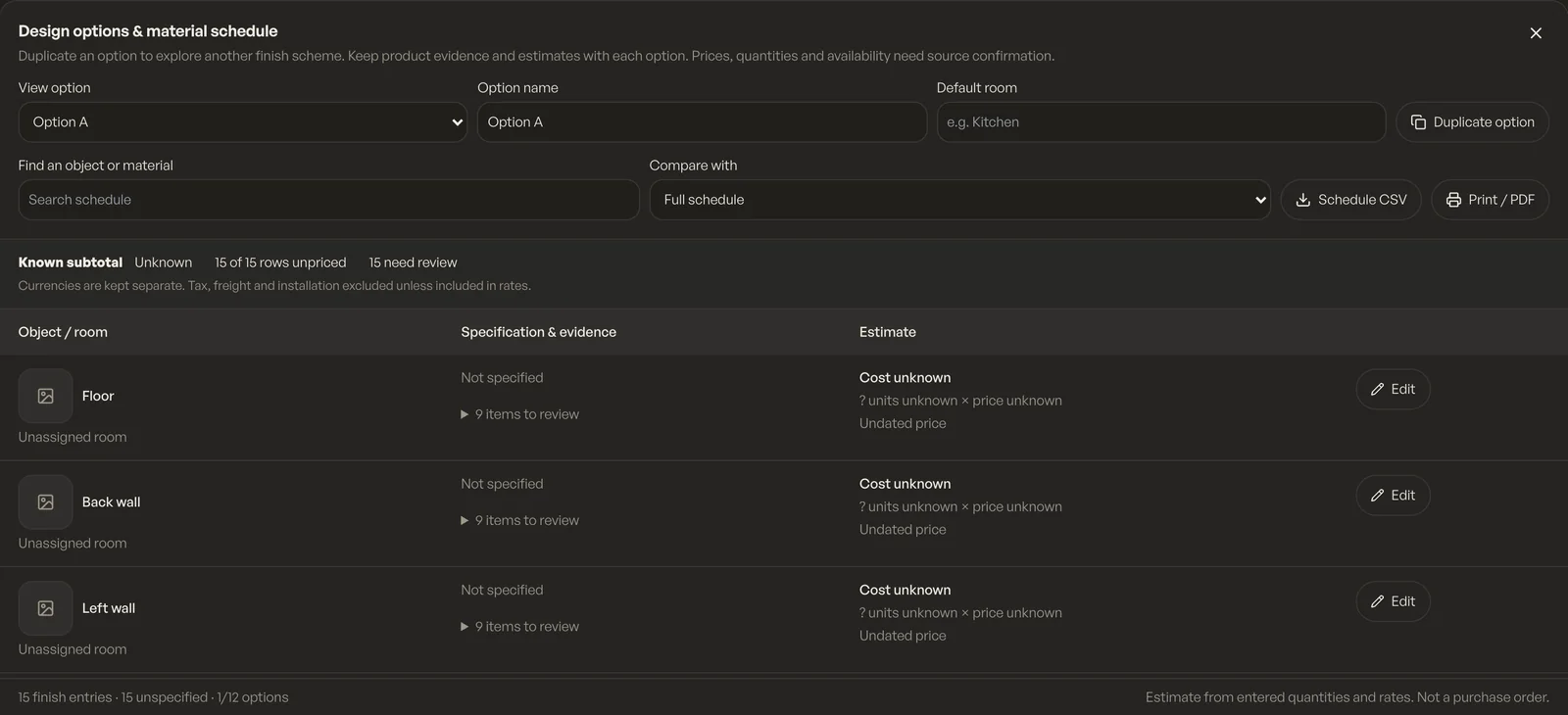
ArchiStudio's material schedule lives inside the 3D model. When you open a model, every object in it gets a row, and you fill in what it will be made of, who supplies it and what it costs. The schedule uses no AI credits.
It is part of ArchiStudio, a browser-based AI studio for interior designers and fit-out studios made by iSkale Group in Dubai.
What a row holds
- Where
- The object, taken from the model, and its room, which you set once for the whole option or override for one object.
- What
- The specified material, supplier, product code and notes, typed in or picked from your material library.
- How much
- Quantity, unit (m², m, m³, each, set, lot, kg or litre) and the basis of the quantity, such as a site measure or a drawing.
- Price
- Unit price, currency, the date of the price and the date the quote is valid until. The line estimate is quantity times unit price.
- When
- Lead time in days and availability: in stock, made to order, unavailable or unknown.
- Evidence
- Links to the product page and the technical sheet, the date you last checked, and whether the information is unverified, documented or confirmed by the supplier.
An example row
A row with its gaps showing. The schedule flags each missing item until it is filled in.
| Room and object | Specification | Quantity | Estimate | Still missing |
|---|---|---|---|---|
| Living room, feature wall | Lime plaster, warm white. Supplier and code not yet chosen. | 24 m², measured from the drawing | Unknown: no price yet | Supplier and code, source, price, supplier confirmation, a check date, availability, lead time |
Totals that stay honest
The schedule shows a known subtotal for each currency and counts the rows that are still unpriced. Currencies are never added together, and an unknown price never counts as zero.
It takes AED, SAR, QAR, KWD, BHD, OMR, USD, EUR and GBP. Prices in Kuwaiti dinars, Bahraini dinars and Omani rials keep three decimals. Tax, freight and installation are left out unless your rate includes them.
A row also lists what is still missing: a supplier or code, a source, a quantity or its basis, a price or its date, the supplier's confirmation, availability or lead time. A quote past its valid-until date is flagged as expired, and supplier information is flagged for review after 90 days.
Options you can compare
Duplicate an option to try another finish scheme on the same model, up to 12 options for one model. Each option keeps its own finishes and its own schedule.
Compare any two options and the schedule shows only the objects that changed, side by side, with the change in the known subtotal for each currency.
Export
Download the schedule of the option you are viewing as a CSV file, or every option in one file. The CSV has 31 columns, from the project and option to the list of missing information, and opens in Excel, Numbers or Google Sheets.
Print / PDF lays the schedule out on A4 landscape with product images, sources, the option and the revision, ready to save as a PDF.
What it does not do
- Measure quantities from the model's geometry. You enter each quantity with its basis.
- Hold a product catalogue or live supplier prices. Beyond three example products, the schedule carries your own suppliers and quotes.
- Place orders, track deliveries or work out markup and client prices.
- Replace a bill of quantities. Its estimate comes from your entered quantities and rates.
Questions
What is a material schedule?
A material schedule lists the materials and finishes in a project with where each one goes, the product chosen, who supplies it and how much is needed. It ties a design decision to something a contractor can price and order.
Can ArchiStudio measure quantities from the model?
No. You enter each quantity with its unit and a note on where the figure came from, such as a site measure or a drawing.
Can I compare two finish schemes?
Yes. Keep up to 12 options on one model and compare any two. The schedule shows the objects that changed and the change in the known subtotal.
Which currencies can a schedule use?
AED, SAR, QAR, KWD, BHD, OMR, USD, EUR and GBP. Each currency is totalled on its own.
Can I open the schedule in Excel?
Yes. The CSV export opens in Excel, Numbers or Google Sheets, and Print / PDF gives an A4 landscape document with images and sources.
Does the schedule use AI credits?
No. Opening a model, changing finishes, filling in the schedule and exporting it use no AI credits. Credits pay for AI generation, such as renders, video, 3D models and upscaling.