AI renders from your own 3D model
ArchiStudio renders a view of your own 3D model with AI, so each render starts from your geometry and your camera. It is a browser-based AI studio for architects, interior designers and fit-out studios, made by iSkale Group in Dubai.
Ways to bring the view in
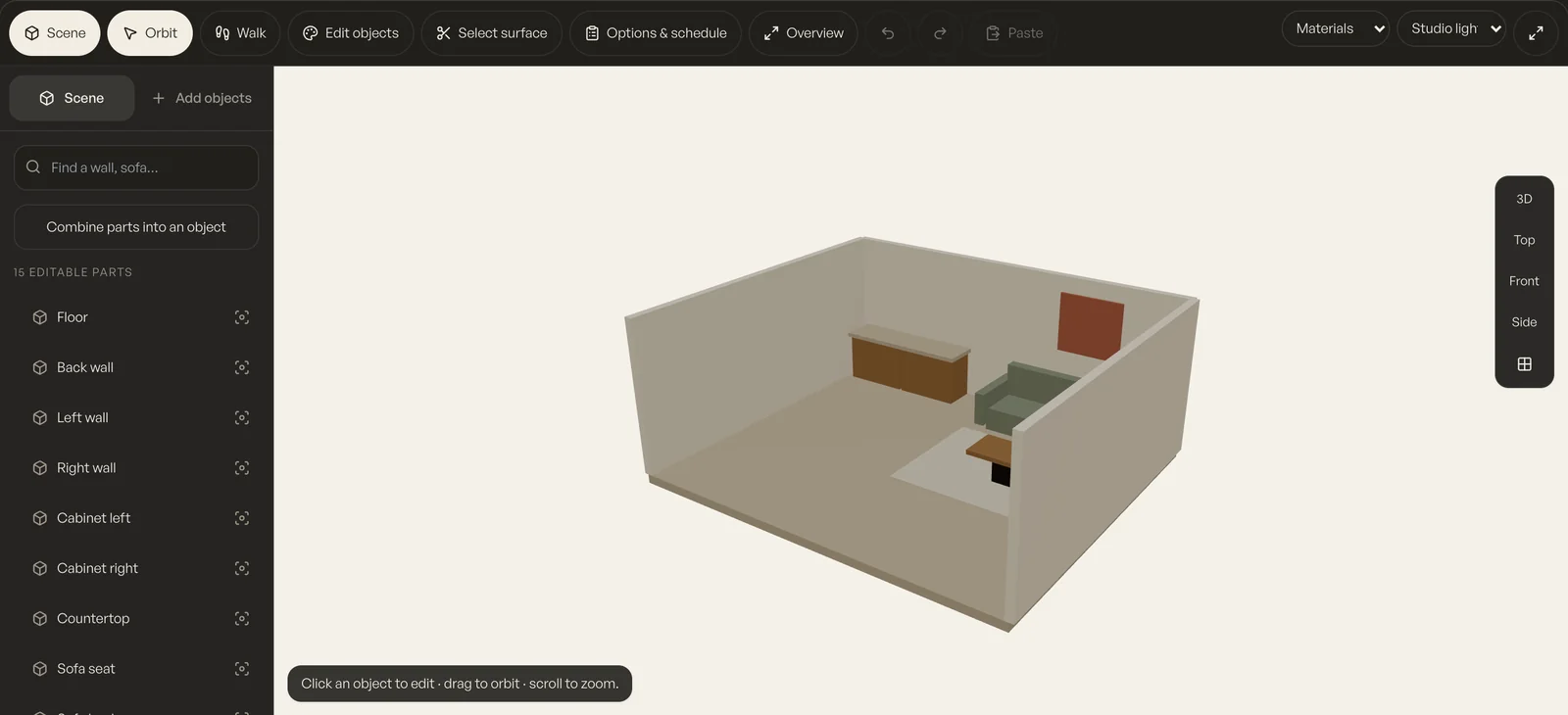
From the 3D workspace
Open your model in the browser, frame a view and choose Render this view. The view is saved to the project and opens in Sketch to Render as the reference. The workspace opens GLB, glTF, FBX, OBJ or STL files up to 100 MB, with textures in a ZIP where needed, and IFC files through their own import.
From your modelling tool
A bridge sends the current view to your Library in one command, from Rhino 8 or 9, SketchUp 2023 or later, Blender 4, or Revit 2023 or later through pyRevit.
From a screenshot or a render
Drop any viewport screenshot, clay view or sketch into Sketch to Render. Enhance takes an Enscape, Lumion, D5 or plain viewport render and makes a photoreal version of it.
Keeping your design
Sketch to Render starts on Strict adherence. Strict asks the engine to keep the geometry, massing, proportions, openings, roof lines, camera position and lens of the reference, and to add, remove or move nothing. Balanced asks the engine to keep the layout and camera and to refine the details. Loose uses the reference as a guide for early ideas.
Adherence is an instruction to the engine and cannot lock the geometry. So every result has a compare button that lays it over its reference with a slider and an edge overlap score, an image similarity aid that shows how closely the strongest lines match. It does not measure dimensions: your model stays the authority for those.
Engine, size and price
- Engine
- Render, powered by Nano Banana 2 from Google.
- Resolution
- 2K on Free and Starter, 4K on Pro and above.
- Price
- A 2K render costs 4 credits. The price shows before you run it, and a failed render is refunded.
- After the render
- Variants makes day, night, season or palette versions of one render. Swap materials by pinning changes one area. Walkthrough turns renders into clips of up to 5 seconds on Free, 10 on Starter and 15 on Pro. Upscale prepares a render for print at up to 4x.
Limits
- Renders are concept visuals for design review and client conversations. They are never construction documents or permit drawings.
- Check every render against the model before you present it: count the openings, follow the roof line and look at the material junctions.
Questions
Which modelling tools work with ArchiStudio?
Any tool that exports GLB, glTF, FBX, OBJ, STL or IFC files. Bridges send the current view in one command from Rhino 8 or 9, SketchUp 2023 or later, Blender 4, and Revit 2023 or later through pyRevit. A plain screenshot works too.
Will the AI render change my design?
It can. Strict adherence asks the engine to keep the geometry, openings, roof lines and camera, but no AI engine guarantees it. Compare each result with its reference before you present it.
What resolution are the renders?
2K on Free and Starter, 4K on Pro and above. Upscale takes a finished render up to 4x.
How much does a render cost?
A 2K render costs 4 credits. The exact price shows before you run each one, and failed generations are refunded automatically.
Can I turn a render into a walkthrough?
Yes. Walkthrough makes clips from your renders, up to 5 seconds on Free, 10 on Starter and 15 on Pro.
Can I use these renders for a permit?
No. ArchiStudio makes concept visuals for design development and client communication. Nothing it makes is a construction or permit document.